Automating Digital Certificates renewal
- 5 minutes read - 922 wordsKubernetes cert-manager for LetsEncrypt certificates
Digital Certificates raison d’être and usage
Certificates are exchanged as part of the TLS handshake. This allows the client to ensure the entity it is trying to establish a connection with is authentically the genuine server.
Note: see other posts under this tag for a few words on TLS handshakes and mentions of the attacks it protects against.
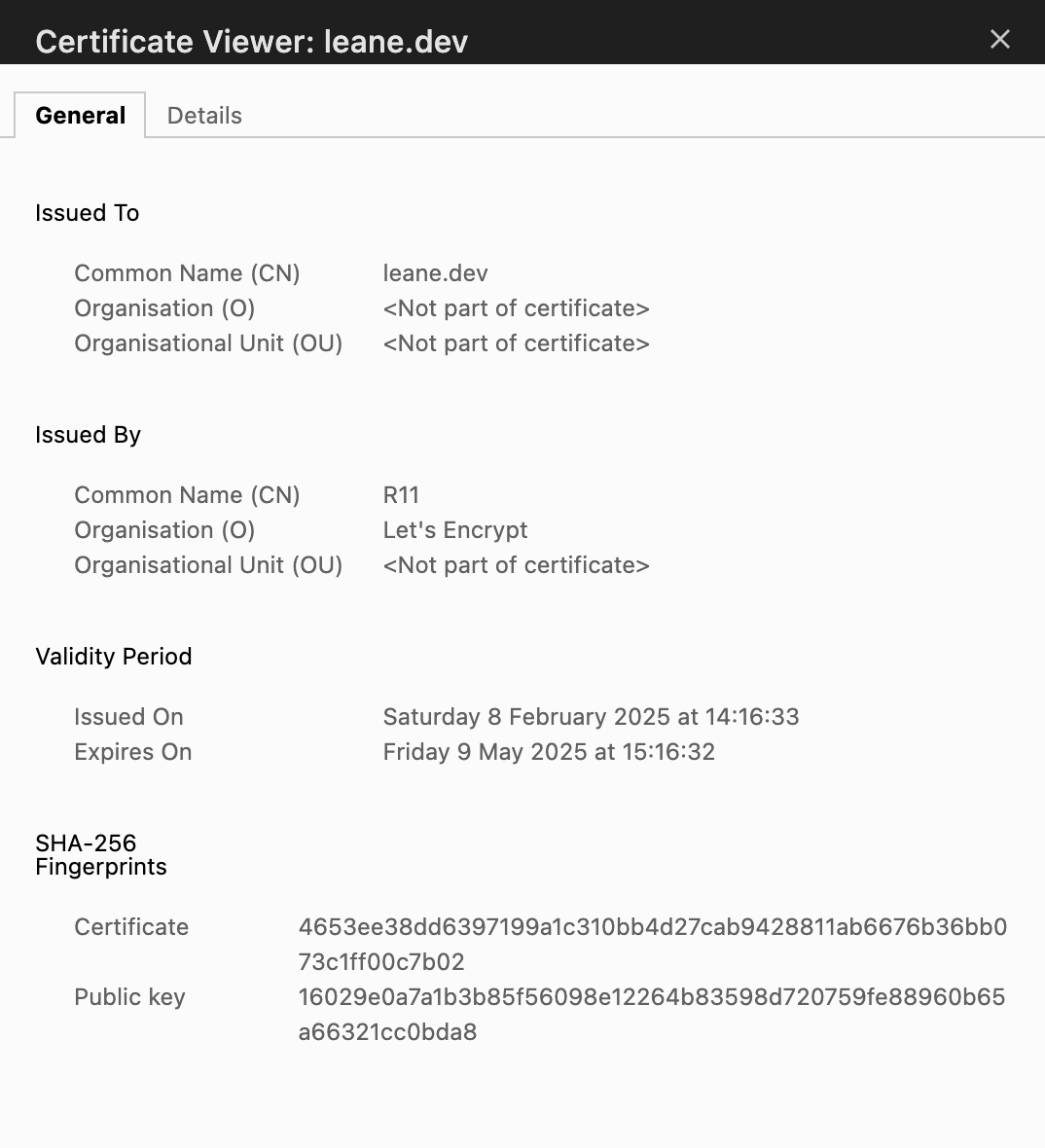
A certificate contains: the issuer details, its expiration date, the entity’s public key for asymmetric encryption and a signature (encrypted server’s public key).
The below image shows the certificate issued to leane.dev which its different components.
Asymmetric encryption & Chain of Trust
Asymmetric encryption consists of an entity having a public and a private key. The public key can be shared with other agents while the private is never communicated. The entity would use one of the keys for encryption and the other one for decryption.
In the case of a client/server communication, the client ultimately receives the server’s public key in order to encrypt the data transferred. Because of the asymmetric encryption, only the server is able to decrypt it.
For the client to verify the identity of the server eg. the public key received is the server’s one and not somebody else’s, the server provides the client a certificate. Certificates can only be issued by certificate authorities which are third party entities trusted by the browser and are issued to a particular domain. There are actually very few certificate authorities (CA) listed - Let’s Encrypt, GlobalSign, IdenTrust and DigiCert to name only a handful.
The certificate’s signature, as mentioned above, is the server’s encrypted public key with the CA’s private key. This means the browser/client can decrypt it using the CA’s public key and reconcile this value against the server’s public key present in the certificate. In order words, validating the certificate’s signature is proof that the server is who they say they are.
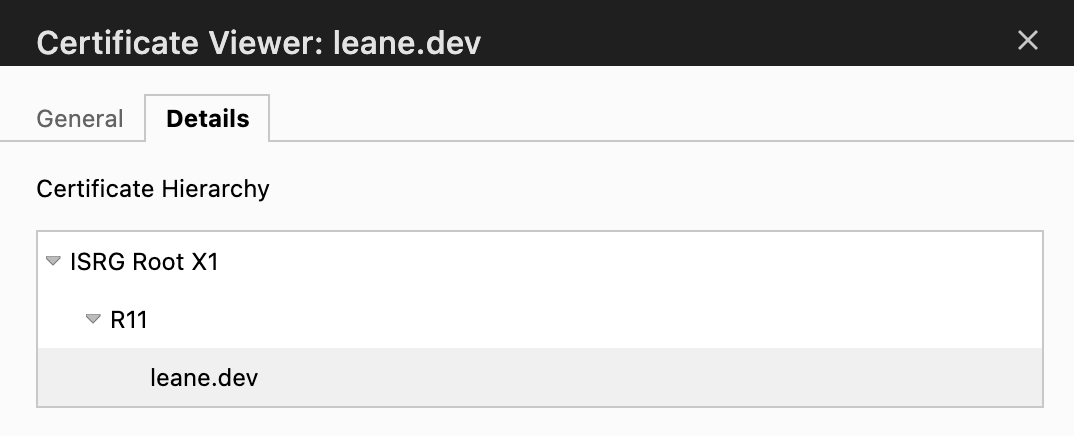
The chain of trust is a hierarchical system within the certificate authorities. Root CAs sign certificates for Intermediate CAs which issue in turn the end-entity certificates. The above signature validation is thus done on the whole chain up to a root CA. The chain of validation should be valid and unbroken to enable secure communication.
The below image shows let’s encrypt certificate chain of trust: intermediate CA is R11 and root CA is ISRG Root X1. More info here.
LetsEncrypt Certificates challenges
Let’s Encrypt offers the option to generate and renew free certificates - all of it can be automated. Now, how to obtain your certificate from let’s encrypt? To do so Let’s Encrypt requires you to succeed one of the available challenges, as defined per ACME standards. They aim to validate that you control the domain name. There are 3 types of challenges: HTTP, DNS and TLS. We’ll only have a quick look at the first two.
HTTP-01 challenge
This allows you to get a certificate issued to a specific domain name. To prove to the CA you control and own the domain name, you should be able to put a token generated by the CA at a specified HTTP URL end-point reachable over internet. Once the CA can retrieve and validate it; this is enough proof you can get a certificate issued.
Obviously, the URL contains the domain name for which you are requesting
a certificate; it is of the form: http://<YOUR_DOMAIN>/.well-known/acme-challenge/<TOKEN>
DNS-01 challenge
This challenge allows you to get wildcard certificates.
To prove you own the entire domain, the challenge requires you to demonstrate you control its DNS records.
It consists in putting a specific value in a DNS TXT record under the domain name you are requesting the certificate for
at _acme-challenge.<YOUR_DOMAIN>.
The ACME server attempts to validate it by performing a DNS lookup.
k8s cert-manager configuration
Kubernetes cert-manager helps create digital certificates and renew them before they expire. For this blog’s use case, the HTTP ACME challenge is selected.
A ClusterIssuer resource is needed to represent the CAs able to sign the certificates in response to the certificate signing request. This issuer is cluster scoped and can be configured as below in the case of an acme-issuer:
apiVersion: cert-manager.io/v1
kind: ClusterIssuer
metadata:
  name: letsencrypt-http
  namespace: cert-manager
spec:
  acme:
    server: https://acme-v02.api.letsencrypt.org/directory
    email: [email protected]
    privateKeySecretRef:
      # Secret resource that is used to store the account's private key
      # This is your identity with the ACME provider
      name: letsencrypt-example-key-name
    solvers:
    - http01:
       ingress:
         # The class field for the ingress specifies a new Ingress
         # resource with a randomly generated name will be created
         class: haproxy-external
The Certificate resource, as configured below, specifies fields used to generate the certificate signing request. Those requests are fulfilled by the issuer.
To store the private key and certificate, a Secret resource is also required.
apiVersion: cert-manager.io/v1
kind: Certificate
metadata:
  name: example-name
  namespace: your-namespace
spec:
  secretName: secret-name-example
  issuerRef:
    name: letsencrypt-http
    kind: ClusterIssuer
  commonName: leane.dev
  dnsNames:
  - leane.dev
The Secret is later used by an Ingress Controller or mounted on a pod. For this blog, the first option is chosen.
The tls.secretName field in a Kubernetes Ingress configuration
specifies the name of the Secret where the TLS certificate and private key are stored.
The Ingress controller then uses this Secret to enable HTTPS for the specified host(s).
Below is the necessary ingress configuration.
apiVersion: networking.k8s.io/v1
kind: Ingress
metadata:
  name: your-ingress-name
  namespace: your-namespace
spec:
  rules:
  - host: leane.dev
    http:
      paths:
      - pathType: Prefix
        path: /
        backend:
          service:
            name: your-service-name
            port:
              number: 80
  tls:
  - hosts:
    - leane.dev
    secretName: secret-name-example